
YouTube Studio review
 Analysis by GetAllApps
I find YouTube Studio most useful when a channel needs attention between uploads, not when I want to sit down and do a full editing session. It puts channel management on a phone, which matters in a household where a creator may be filming in one room, answering a question from another, and checking how a recent video is doing without opening a laptop. The important distinction is that this is a creator’s workspace, not a general video player or a family viewing app. If you understand that boundary, it can be a practical part of a shared-device routine.
Keeping a channel moving around a busy household
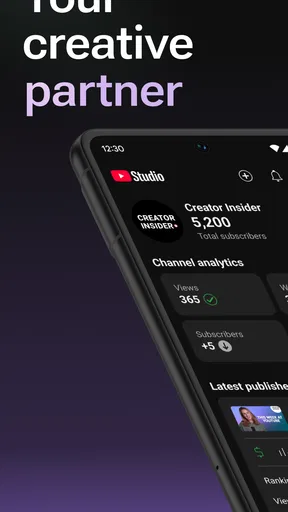
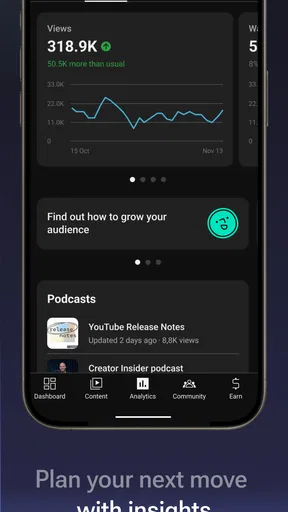
Imagine a family has just finished recording a cooking video. The person who runs the channel can use YouTube Studio to check the channel’s activity, review audience responses, and handle routine management from a phone while everyone else gets on with the evening. That kind of short check-in is where I see the app fitting naturally: it reduces the need to keep a computer nearby just to stay on top of a channel.
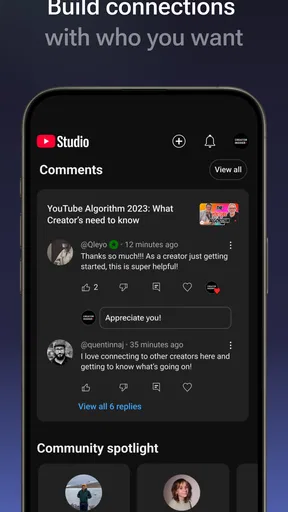
It is also useful when the creator is away from home. A comment may need a reply, a video may need a quick review, or the channel’s recent performance may be worth checking before planning the next recording. Mobile access makes those tasks easier to fit into spare moments. I would still save careful planning and any work that depends on a large screen for a more focused session; a phone is convenient, but it is not automatically the best place for every creator task.
That difference is worth keeping in mind if more than one person in a home uses the same device. The app’s purpose is to manage a channel, so opening it is not the same as opening YouTube to watch videos. A parent checking a channel’s comments or performance and a child choosing something to watch are doing different things, even if both activities involve the same service.
Separate the creator’s work from the family’s viewing
In a shared-device household, I would treat Studio as a work area for whoever is responsible for the channel. Before handing a phone to someone else, it is sensible to close the app and make sure the device is being used under the right account. That is a basic habit, not a special family feature, and it helps avoid confusion about whose channel or activity is on screen.
If several people contribute to a channel, it helps to agree on responsibilities before anyone starts making changes. One person might handle routine comment checks, while another decides what to publish or how to present the channel. A simple household agreement can prevent two people from making overlapping decisions or assuming that a quick phone check has settled something that needs a conversation.
I would not use a shared login as a substitute for clear account boundaries. People should know whose account is active and who is meant to manage the channel. If a household needs robust separation between personal accounts, or a way to supervise a child’s online activity, Studio should not be treated as the tool that solves those broader needs. It is for channel management; the family still needs to handle device access and account choices thoughtfully.
Coordination works best when decisions are explicit
Small creator tasks can be easy to divide, but decisions about the channel’s voice are harder. For example, if a teenager makes videos with a parent’s help, the creator might be best placed to draft replies while the adult checks that the response is appropriate before it is sent. The useful practice is to decide who has the final say, rather than assuming that everyone with access will make the same judgement.
I also recommend separating quick monitoring from creative review. A glance at channel activity can tell you that something deserves attention, but it is not a good reason to make a rushed change while distracted. I use mobile management as a way to notice and triage: identify what needs a response, then leave more considered choices for a time when the right person can look closely.
For a household with multiple contributors, a brief routine can help: check the channel at an agreed time, mention anything that needs another person’s input, and avoid making a consequential change on someone else’s behalf without permission. This is not a feature of the app; it is a practical way to keep channel work from turning into a source of household friction.
What the app is—and what it is not
Made by Google LLC, YouTube Studio is a free app in the video management and editing category, though its main role is channel administration rather than replacing a dedicated video editor. It has a 4.3 average from around 2.4 million ratings, and it has passed 100 million installs. Those figures suggest that many creators use it, but they do not tell me whether it suits a particular channel workflow; the deciding factor is whether you need to manage a channel from a phone.
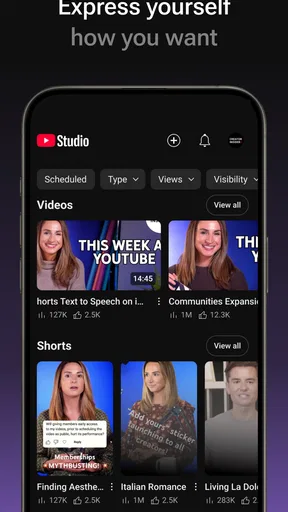
Compared with ordinary video-player apps, Studio is aimed at the person publishing and maintaining content, not the viewer choosing what to watch. Compared with a desktop creator dashboard, its advantage is convenience and quick access away from a computer. Its trade-off is the small screen: reviewing details, comparing information, or making a careful decision can feel less comfortable than using a laptop. And compared with a full editing app, it is not the place I would choose to build a video from raw footage.
This distinction helps answer a common question: can Studio take the place of the regular YouTube app? Not for ordinary viewing. It is better understood as a companion for the channel owner. If your main goal is watching, searching for entertainment, or sharing videos casually, a viewer-focused app is the natural choice. If you mainly want to cut clips, add effects, or assemble a polished video, a dedicated editor is a better fit.
Useful habits for mobile channel checks
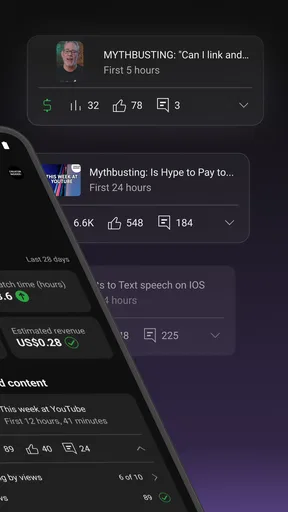
One practical approach is to use the phone for short, clearly defined tasks. I would check for comments that need attention, review the channel’s recent activity, and make a note of anything that needs a longer look. That keeps a quick visit from becoming an unfocused session in which the creator makes changes without enough time to think them through.
Another helpful habit is to handle comments with the channel’s audience in mind, especially when a young person contributes. A reply can represent the channel and may be seen by many people, so it is worth slowing down before responding to criticism or sharing personal details. Studio gives creators a place to manage their channel; good judgement about what to say remains the creator’s responsibility.
For planning, I find it useful to turn observations into a next step rather than treating a number or comment as a verdict on the whole channel. If a recent upload prompts discussion, the creator can note what viewers are asking and consider whether that belongs in a future video. That is more useful than reacting to every individual response as though it demands an immediate change.
Age, trust, and the right person holding the phone
The app has a Teen content rating, so families should take its audience context seriously. That rating does not make Studio a children’s viewing app, nor does it replace a parent’s decision about whether a particular young person should manage a channel. I would base that decision on the child’s maturity, the kind of content they create, and whether a trusted adult is involved in account and publishing decisions.
In practice, trust means being clear about who is responsible for replies and channel choices. A younger creator may be able to take part in routine work while an adult helps with sensitive interactions or decisions that could affect the channel’s public presence. The exact arrangement should fit the family; I would not assume the app itself provides household supervision or shared-account safeguards.
It is also reasonable to keep creator tasks separate from a child’s general device time. If a phone is handed over for watching videos, make sure the creator account is not simply left open for the next person to use. That small distinction can help protect privacy and reduce accidental changes, without turning a simple household routine into a complicated technical setup.
Who will appreciate it, and who should look elsewhere
I would recommend YouTube Studio to someone who already runs a channel and wants to handle routine management while away from a computer. It is especially handy for creators who need to keep an eye on responses or channel activity during a busy day, and for households where a parent and young creator share responsibilities but agree clearly on who makes decisions.
I would skip it if you do not manage a channel, if you only want to watch videos, or if you expect a complete video-editing workspace on your phone. It is also not the right answer for anyone looking for a family account manager or a general tool for supervising device use. Those needs call for different approaches; Studio’s value is narrower and more useful when judged on its own terms.
Google LLC released the app on June 26, 2014, and it remains a free option for creators who want channel tasks within reach on mobile. I would treat it as a convenient companion rather than a replacement for every desktop task. Used with clear account boundaries and a sensible household routine, YouTube Studio can make channel upkeep easier without confusing creator work with family viewing. My verdict is positive for active channel owners, with the caveat that convenience works best when people know whose channel they are managing and when a quick phone check is not enough for a bigger decision.
Pros and cons
Pros
- Manage channel settings and video details from a mobile device.
- Review and respond to comments while away from a computer.
- Track performance with analytics for individual videos and the channel.
- Receive notifications about important channel activity.
- Switch between multiple YouTube channels with ease.
Cons
- Some advanced editing tasks still require YouTube on a computer.
- Analytics may be limited compared with the desktop experience.
- Frequent notifications can become distracting.
- Certain features may vary by account or region.
- The app requires a stable connection for many tasks.


